

What Is The Choicer Voicer?
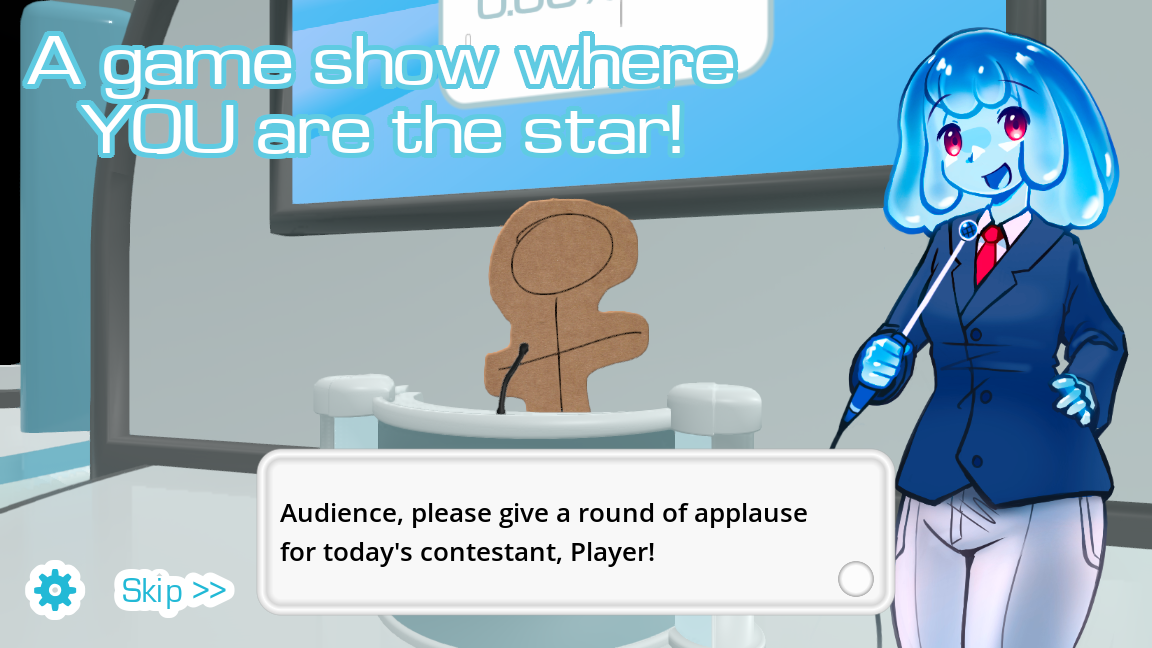
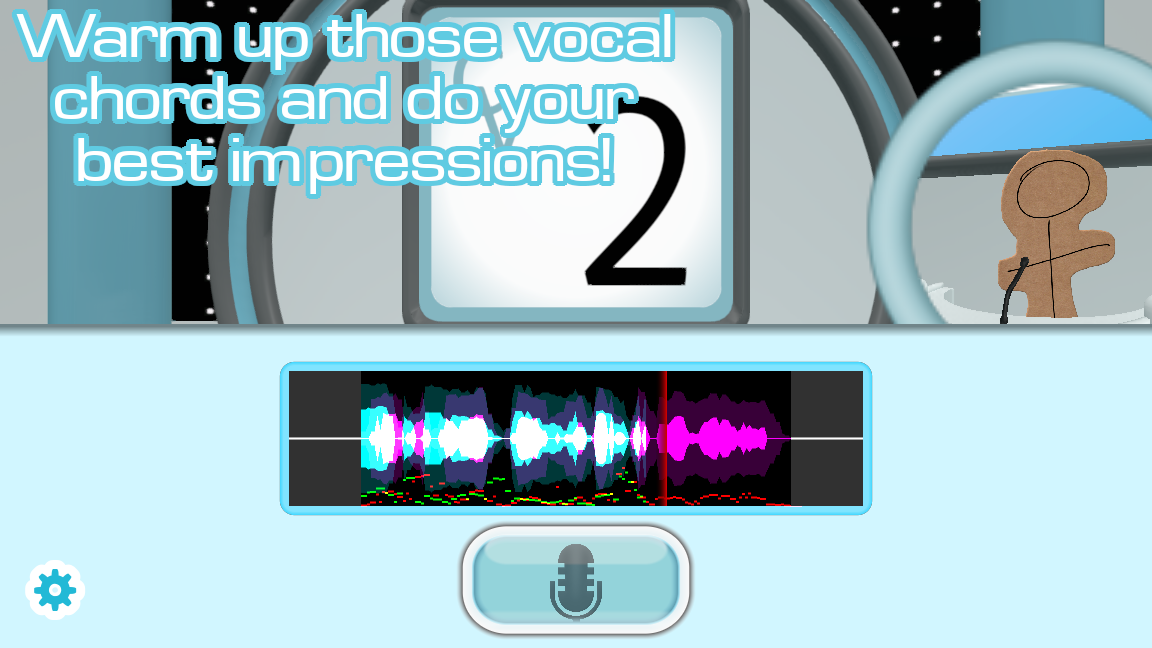
The Choicer Voicer is a voice-impression party game: a reference clip plays, you perform the line into a microphone, and a judge panel reacts to the take. The choicer voicer game is pack-driven rather than a finished catalog. Voice clips, hosts, contestants, judges, menus, and the studio can all be swapped, so two groups rarely sit through the same show.
The official desktop project by YeahMaybe also includes Dub Mode, which turns complete scenes into a voice-over game, plus local play for up to four people on one machine and Twitch-oriented judging. Searches for a voice imitation game, a microphone game, or a dubbing game usually point at this loop: listen, record, imitate, then hear how the panel scores the delivery.
This page is an independent fan resource. The player above is an unofficial browser experience so you can try a voice challenge without installing anything first. It is not the official web version of The Choicer Voicer, and it is not affiliated with YeahMaybe. Use it as a quick entry, then read the sections below for packs, mods, mobile, download, multiplayer, and microphone help.
| Feature | Details |
|---|---|
| Game Name | The Choicer Voicer |
| Genre | Voice imitation / party / dubbing |
| Original developer | YeahMaybe |
| Official client | Windows and Linux on itch.io |
| This page | Unofficial browser experience |
| Controls | Mouse + microphone |
Play The Choicer Voicer Online
People searching for the choicer voicer online, choicer voicer free, or where to play choicer voicer usually want a browser voice game they can open immediately. The Play Game button above loads an unofficial HTML5 player in this page, the same kind of iframe embed used by community game portals. Click Play, allow the microphone if you intend to record, and stay on this tab while the player starts.
That browser experience is not a substitute for the official desktop client. YeahMaybe’s downloadable game is still the full Choicer Voicer product: custom packs, Dub Mode, local multiplayer, and Twitch-facing modes live there. This site does not host cracked installers, Android APK files, or an official web port. If the iframe fails to load, use Refresh game or Theater mode, or open the official itch.io listing for the Windows and Linux build.
Play choicer voicer here when you want a no-install tryout. Come back to the guides on this page when you need packs, mods, a mic fix, or a clear split between “online in a browser” and “installed on a PC.”
How to Play Choicer Voicer
A first session is one clean loop: the player loads, a clip plays, your mic records, you hear the take back, and something on screen reacts. Use the unofficial player above for a tryout; use the official client when you want packs and party play.
- 1
Start the player
Click Play Game on this page. Wait for the unofficial browser challenge to load, and keep this tab in the foreground.
- 2
Allow the microphone
Grant mic access only when you are ready to record. Pick the intended input and make sure a saved take can be heard, not just live monitoring.
- 3
Listen to the full reference
Hear the wording, pitch movement, pauses, and the ending. In Dub Mode on the desktop game, also watch who is speaking and when the line lands.
- 4
Imitate with commitment
Accuracy is not the whole score. Timing and committing to the delivery appear to matter as much as a clean vocal match.
- 5
Review, then change one variable
On the next attempt, change volume, emphasis, or character — not everything at once — so you can tell what the panel reacted to.
- 6
Invite a room, not a lobby
For party play on the official client, assign each microphone before round one. The browser player here is the solo entry point.
What You Can Do in The Choicer Voicer
The official choicer voicer game is a studio you fill yourself. These are the pieces that change a session without changing the core listen-and-perform loop.
Voice packs
Drop audio clips into a folder and imitate them. Short lines you already know make a stronger first pack than a pile of unfamiliar voices.
Mods and custom shows
Swap judges, hosts, studios, and menus so the same prompts feel like a different broadcast. Community modpacks live alongside simple voice folders.
Dub Mode
Record a voice-over pass over a scene. The goal is a take you want to keep, not a hidden judge score.
Local party play
Up to four people on one computer, each with a assigned microphone. The format comes alive when people trade turns in the same room.
Customize without new clips
A deadpan host and a loud host read the same line differently. Changing the host or studio is often enough to reset a stale pack.
Twitch-facing rounds
Chat can take over judging with commands. Explain the vote window first or the round collapses into missed inputs.
Voice Folders vs the Full Client
The desktop game reads folders of clips, hosts, judges, and studios. Official Packs & References on itch.io show the layout. Treat every archive as data, not as the game installer.
Use the dedicated packs guide for types, sources, and install steps. Custom shows that restyle the broadcast belong on the mods page. Keep this homepage for play.
Dub Packs and Voice-Over Mode
Dub Mode is the voice-over game inside The Choicer Voicer. Instead of a judge panel chasing a score, you record a full pass over a scene and try to land timing, character, and energy on camera. Choicer Voicer dub packs typically include video, timed lines, captions, and supporting files. People searching for dub the choicer voicer or a custom dub pack are looking for that workflow, not the studio imitation loop.
Sync is not always perfect, especially on longer scenes. Run a short clip first so you catch video or audio drift before you commit to a long take. Version compatibility matters: a pack built for one client build can fail on another. Keep official defaults as a known-good reference, then add one community dub pack at a time so a load error is easy to isolate.
Phone vs Full Choicer Voicer Client
There is no official Choicer Voicer app. A phone can open the unofficial browser player on this homepage if the microphone is allowed. Packs, Dub Mode, and local party play still need a computer.
For Android, iPhone, APK warnings, and mobile microphone notes, open the dedicated mobile guide. Keep this homepage for play and the broader game overview.
Choicer Voicer Multiplayer
Choicer Voicer multiplayer on the official client is local: up to four players on one machine, each with a microphone assigned on the setup screen. Skip that assignment and voices bleed into the wrong turn. It is a party game in the same room, not a synchronized online lobby. Twitch-facing modes let chat judge or vocalize, which is streaming, not remote matchmaking.
The unofficial browser player on this page is a solo tryout. If friends are remote, the practical workaround is still one desktop session plus a call and screen share — with the usual delay and echo problems. Headphones help keep the reference clip out of the mic. Use the dedicated multiplayer guide for local setup, player count, Twitch modes, and why there is no official online lobby.
Official Client vs This Browser Page
This homepage player is an unofficial browser tryout. The full Choicer Voicer product is the Windows and Linux client published by YeahMaybe on itch.io. We do not host installers here.
If you need the official files, install steps, Mac and APK answers, or a safe-source checklist, open the dedicated download guide. Keep this homepage for play, packs, and microphone notes.
Microphone Problems?
If Choicer Voicer mic not working is your search, start with permission. In the browser player, the site and the iframe both need microphone access after you click Play — getUserMedia should only run after that click. Choose the real input device, not a webcam mic, headset hands-free channel, or a stale virtual cable. Confirm that a recording plays back, not only live monitoring.
On the desktop client, surround output (5.1 / 7.1) is the issue players report most: recording can stop mid-round while stereo setups keep working. Community workarounds include stereo output, a spare playback device, and closing apps that hog the mic. Test the official No Gameplay Demo before you blame a pack. Use Refresh game on this page if the iframe captured the wrong device on the first prompt.
Why Use This Choicer Voicer Page
This homepage is the playable entry and the first information hub — not a fake official store.
Play without installing first
The iframe player lets you try a browser voice challenge on this URL. Use the dedicated download page for the official Windows and Linux client.
Clear unofficial labeling
We state that this is a fan site and an unofficial browser experience. YeahMaybe remains the original developer; itch.io remains the official client source.
Packs, mods, and mic in one place
Free, online, and where-to-play questions stay on the homepage so they do not split into thin doorway pages.
No pirated files
We do not host the desktop installer, APKs, or cracked archives. Community packs are discussed as content, not as a substitute for buying the game.
Frequently Asked Questions
Ready to try The Choicer Voicer?
Click Play Game for the unofficial browser challenge, then use the guides on this page for packs, mods, Dub Mode, multiplayer, download paths, and mic fixes.