
The Choicer Voicer Download
Use this page to find the official Choicer Voicer download path: YeahMaybe’s itch.io listing for Windows and Linux, the free microphone demo, install steps, and a checklist that keeps you off scam APKs and cracked archives.
choicervoicer.info is an independent fan site. We are not affiliated with YeahMaybe. This page does not host game files.
The listed price on itch.io is currently $5 USD or more. Check the store page for the live price, files, and demo.

Where to Download The Choicer Voicer
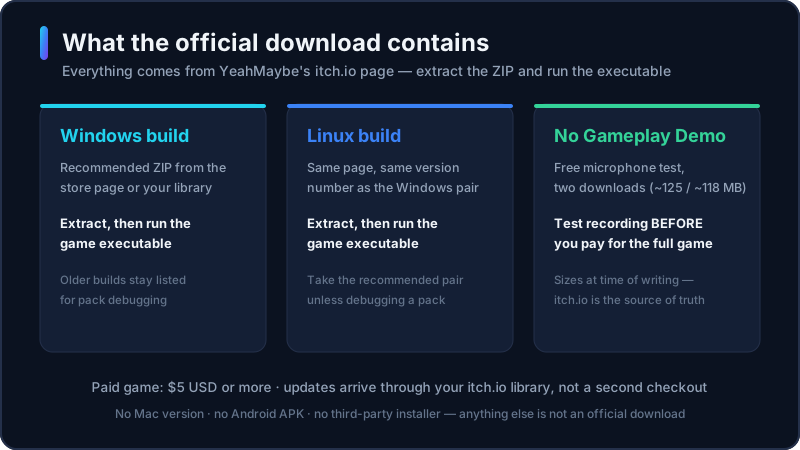
The only official Choicer Voicer download for the desktop game is YeahMaybe’s itch.io store page. That listing publishes the current Windows and Linux builds, older versions if you need to compare, official Packs & References, and a free No Gameplay Demo used to test the microphone before you pay.
YeahMaybe has also said that the itch.io store page and their Neocities site are the official web properties. This fan site is not one of them. We link to the store so you can leave here and download from the developer. We do not mirror the installer, host a “free full game” zip, or wrap the files in an extra downloader.
If you already bought the game, do not buy it a second time to get an update. itch.io can still show a Buy button after you own the title. Open your itch.io library, find The Choicer Voicer, and download the recommended Windows or Linux build from there. The itch.io desktop app can also keep owned files in one place. There is no listed official Steam release right now; itch.io is the current storefront for the installer.
Is The Choicer Voicer Free to Download?
“The choicer voicer download” and “the choicer voice game free download” are not the same request. The full desktop game is a paid itch.io product. The store currently lists a minimum price of $5 USD. That number can change; treat itch.io as the source of truth.
What is free: the No Gameplay Demo, which exists so you can test recording before you purchase. Community voice packs and mods are often free, but they are content folders, not a substitute for the client. The unofficial browser player on this site can be tried without installing a desktop build. None of those options is a cracked copy of the full game.
If a third-party page offers a complete Choicer Voicer installer, an Android APK, or a “free download” of the paid client, treat it as unsafe. The developer has already warned that search results are full of copycat pages. A free demo or a browser tryout is legitimate. A free full-game archive from an unknown host is not.
Windows and Linux Installation
The official client is a downloadable game for Windows and Linux. Exact folder names can change between builds; follow the files and notes on the itch.io page you just downloaded.
- 1
Open the official store page
Go to YeahMaybe’s itch.io listing for The Choicer Voicer. Confirm the author is YeahMaybe and that you are on itch.io, not a lookalike domain.
- 2
Test the microphone demo first
Download the free No Gameplay Demo if you have not confirmed recording on this machine. Surround-sound output is a known problem for in-game recording. A working demo is a better signal than a refund later.
- 3
Purchase, then download the recommended build
Buy the game on itch.io if you want the full client. Download the recommended Windows or Linux file for the latest listed version. Older builds stay on the page for comparison; prefer the recommended pair unless you are debugging a pack.
- 4
Extract and run the client
Unzip the archive to a folder you control. Run the game executable from that folder. Keep custom pack folders outside the path you are about to replace, so an update does not wipe your content.
- 5
Get later updates from your library
When a new version ships, return to your itch.io library or the itch.io app. You already own future versions from the original purchase. Back up packs and dub files before you overwrite the application folder.
Is There a Mac Version?
There is no listed official Mac desktop client. YeahMaybe’s store page states the game is available for Windows and Linux, is not available for macOS, and is not designed for Chromebook. Community threads on itch.io repeat the same Mac answer.
Mac users who only want a quick voice challenge can try the unofficial browser player on this site in a desktop browser that can grant the microphone. That is not the official Choicer Voicer product and it does not unlock packs, Dub Mode, or local party play. If you need the full downloadable game, use a Windows or Linux machine and the itch.io client.
Is There an Android APK?
There is no official Choicer Voicer Android APK, iPhone app, or store listing. An APK from a mirror, Telegram channel, or “modded” file host is not a Choicer Voicer download. It is an untrusted binary that can steal accounts, overlay ads, or ship malware under the game’s name.
Some phones can open the unofficial browser player on this homepage if the mobile browser allows the microphone. Results vary by device, tab backgrounding, and permission prompts. For packs, Dub Mode, and local multiplayer, the supported path is still the Windows or Linux client. A longer mobile guide will cover device quirks later; this page only answers whether you should download an APK (you should not).
Safe Download Checklist
Check the host and author
Official files come from YeahMaybe on itch.io. If the domain is not itch.io, or the author is not YeahMaybe, stop.
Skip APKs, cracks, and “full game free” zips
Those files are not an official Choicer Voicer download. They also will not give you a legitimate way to receive updates.
Prefer the recommended build
The store keeps older Windows and Linux versions. Unless you are comparing a bug, take the recommended current pair.
Use the demo when the mic is the risk
Recording failures are a known issue, especially on surround output. Test the No Gameplay Demo before you treat a purchase as broken.
Update from your library, not a second checkout
itch.io may still show Buy after you own the game. Open your library, then download. Do not pay twice for the same title.
This site never hosts the installer
If a button on choicervoicer.info claims to save an .exe, .apk, or torrent, it is not from us. We only link out to itch.io.
What You Get After Install
The official client boots into the game show intro and reports its version on the Customize screen — Early Access 0.5.0 is the Dub Mode update.
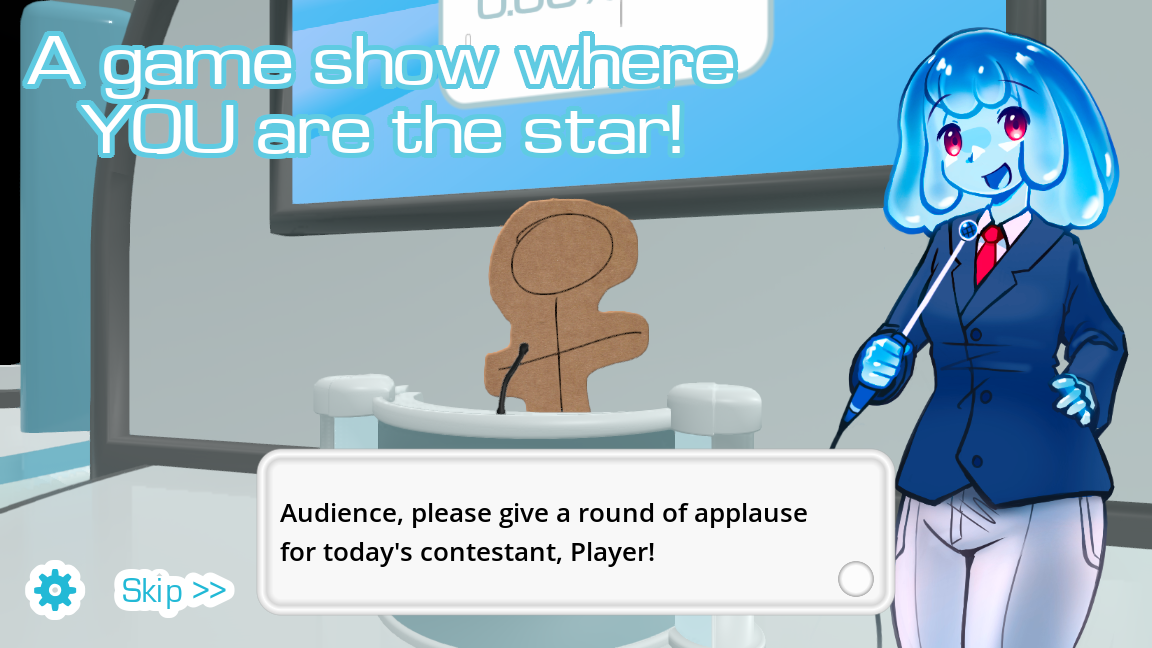
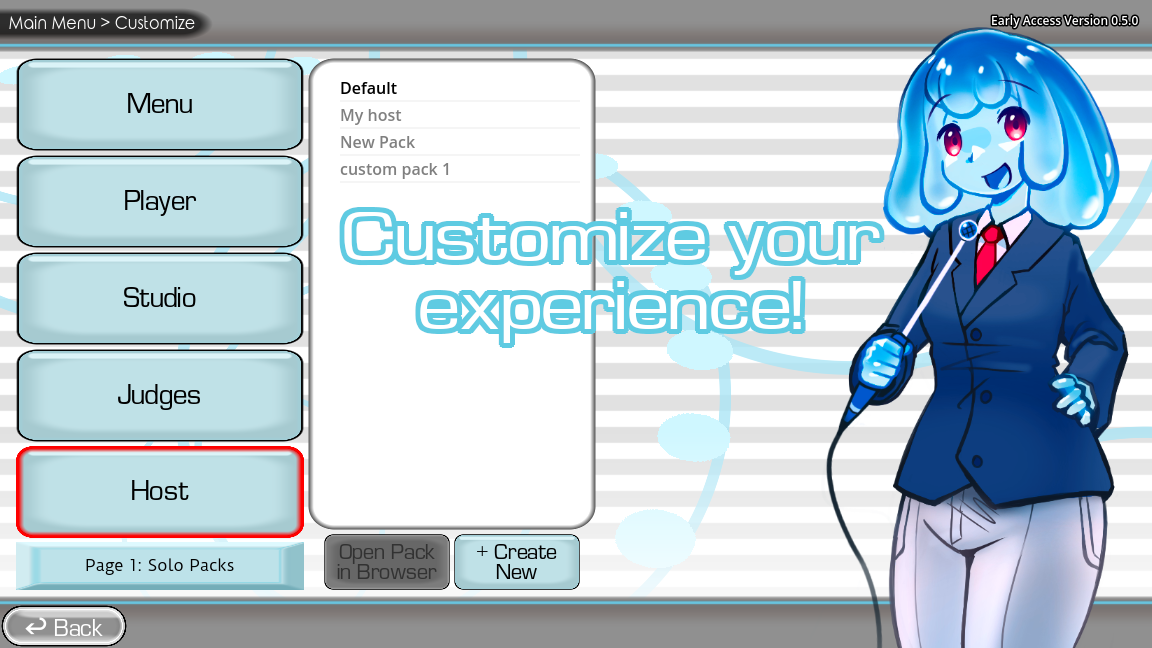
Game screenshots on this page come from YeahMaybe's official itch.io listing for The Choicer Voicer. All game art belongs to YeahMaybe.
Download FAQ
Related Choicer Voicer pages
After you know where to get the official client, use these pages for play, mobile notes, and microphone help.
- Play The Choicer Voicer in the browser
- The latest Choicer Voicer version and update guide
- Can you play Choicer Voicer on mobile?
- Is there a Choicer Voicer Mac version?
- Choicer Voicer mods and modpacks
- Choicer Voicer packs and voice packs
- Choicer Voicer dub packs
- Choicer Voicer multiplayer
- How to play Choicer Voicer
- Choicer Voicer microphone help
Get the official files, or try the browser player
Leave this page for YeahMaybe’s itch.io listing when you want the Windows or Linux client. Stay on this site when you only need an unofficial in-browser voice challenge.