
Choicer Voicer Latest Version
The latest Choicer Voicer version is 0.5.3, the “Dub preservation update” YeahMaybe shipped on August 22, 2026. This page compares every 0.5.x release, shows how to update the itch.io client without repurchasing, and explains where update news is actually posted.
choicervoicer.info is an independent fan site. We are not affiliated with YeahMaybe. Version facts on this page are checked against the official itch.io store page and devlog.

What Is the Latest Version of The Choicer Voicer?
As of September 18, 2026, the latest Choicer Voicer version is 0.5.3. The official itch.io store page lists two files — The Choicer Voicer 0.5.3 [Windows] and 0.5.3 [Linux] — and both carry the “Recommended” label. The Windows build is 257 MB, the Linux build is 264 MB, and both date to the 0.5.3 devlog post published August 22, 2026.
Two store-page details matter when you check for updates. First, the listing is marked “In development”: this is an ongoing alpha, so updates change real behavior and occasionally break things. Second, the store page’s “Updated” stamp currently reads 16 September 2026, which is newer than the August 22 build files — the developer can edit the page without shipping a new build, so the devlog, not the stamp, is what tells you when a version actually shipped.
Every claim on this page comes from the official store page and the developer’s own devlog posts, linked in the sections below. When a new build ships, those two sources change first; this page is a guide to reading them, not a replacement for them.
Choicer Voicer 0.5.3 vs 0.5.2 vs 0.5.1
The 0.5.x line is what new buyers download today. Here is what the developer’s own release posts say each version changed, newest first.
Version 0.5.3— Dub preservation update
August 22, 2026The headline feature is crash recovery for Dub Mode: every clip and its data is saved in-between turns in a temp folder, so after a crash the game asks whether to continue the pack instead of losing the take.
- Dub Mode shows which character is speaking under the clip number
- The dub selection page was reworked to show pack details such as clip counts and per-character clip lengths
- Clip scores are shown as percentages instead of marks out of five
- The Watch button was repositioned after 0.5.2 placed it under the cinema button
- The in-game editor’s F3 timestamp trick accepts minute-formatted times, not only seconds
Version 0.5.2— Mic fix and Dub Cinema
Mid-August 2026 (devlog post August 22, 2026)The most consequential fix targets players whose microphones recorded nothing even though playback and the waveform worked: surround-sound output channels were disrupting recording positions, an unfixed engine-level issue patched via a community pull request by Buzzlord and a custom build by Studio Jimbly.
- Dub Cinema is a new mode for rewatching saved dubs, with judge and contestant packs appearing as an audience
- Fixed ugly pixel lines on character images
- The Record button no longer stays clickable after a dub finishes
- A short delay before recording starts avoids capturing the click of the mic
- The search bar in the dub pack selection screen was fixed
Version 0.5.1— Update notifications and Freestyle cleanup
April 17, 2026The update that matters for this page: starting with 0.5.1, the game notifies you when a newer version is available for download on itch.io, so you no longer have to watch the devlog manually.
- Freestyle Dub Mode received the main cleanup, including improved sorting and a new Chronological option
- Fixed character filtering and muted clips that kept playing audio
- Icons now mark which voice packs are Dub Mode-compatible
- Judge packs can define a custom score image for perfect scores
Version 0.5.0— The Dub Mode update
March 9, 2026The release that introduced Dub Mode itself: dub packs with an OGV video and metadata, clip-by-clip or Freestyle dubbing, and a built-in editor for voice clips and pack metadata under “Extras”.
- Twitch additions: Panelist voting lets streamers assign up to five usernames as judges, and a new Twitch Chatter pack type plays audio on viewer keywords
- Voice packs support icons, tags, and author: search
- Timing lights replaced the old countdown, beeping three times with a silent fourth beep
- Auto-save option for game show performances
How to Update The Choicer Voicer
Updates come through itch.io, not through a second purchase or a patch file from a third-party site. The flow is the same on Windows and Linux.
- 1
Check the version you are on
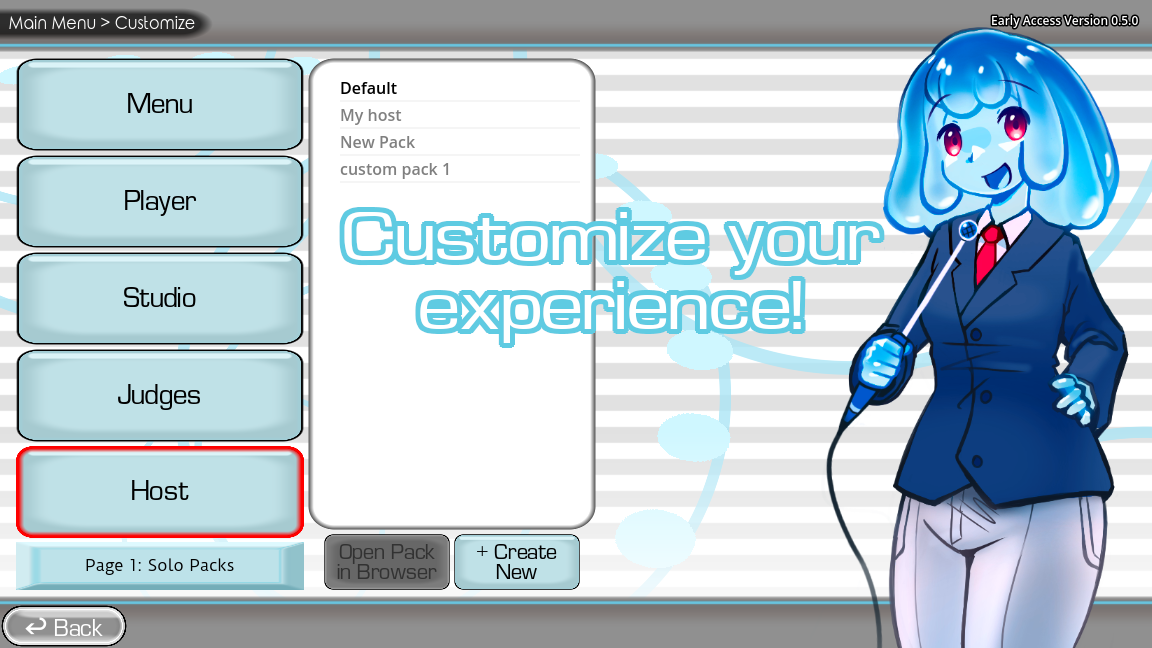
The client prints its version on the Customize screen — the screenshot below shows the marker. If it reads lower than 0.5.3, you are on an older build. Since 0.5.1 the game also shows an in-game notification when a newer version is available on itch.
- 2
Open your itch.io library
Go to your itch.io library and find The Choicer Voicer. The store page can still display a Buy button after you own the game — that does not mean you need to pay again. One purchase includes all future versions.
- 3
Download the 0.5.3 Recommended file for your OS
Pick The Choicer Voicer 0.5.3 [Windows] or 0.5.3 [Linux] — both are labeled Recommended. The itch.io desktop app can handle the download for owned titles as well.
- 4
Back up your packs, then replace the old build
Keep custom pack folders outside the folder you are about to overwrite, or copy them out first. Extract the new archive, run the executable, and confirm your packs still appear before deleting the old build.
Do Your Packs Still Work After Updating?
There is no official compatibility matrix that says which community packs survive each update. Packs are data folders the client reads, and the 0.5.x releases so far have kept reading the same folder layout — the 0.5.3 update is in fact built around protecting pack content, saving dub progress between turns so a crash does not wipe a session.
The practical routine is the one the install guide already suggests: keep the official default packs as a known-good reference, add one community pack at a time, and after an update check that each custom folder still loads before a real session. If a pack misbehaves on 0.5.3, you can test it against an older build without rebuying anything — the store page keeps 0.5.2 and 0.5.1 downloadable alongside the recommended files.
Note the version marker on the Customize screen when you report or read about a pack problem. A pack built and tested on one client build can behave differently on another, and “which version were you on” is the first question any pack author will ask.
Where Update News Is Actually Posted
The single official channel is the devlog on YeahMaybe’s itch.io page, which also has an RSS feed if you want updates pushed to a reader. Recent posts show how the developer communicates: the 0.5.3 release post (August 22, 2026), the 0.5.2 release post from the same day — its title admits the note was “a week late” — a mic-fix test build labeled 0.5.2-dev2 (August 6, 2026), and a general “Answering Recent Questions” post (August 3, 2026).
That cadence tells you what to expect: releases do not follow a calendar, and interim test builds can appear between numbered versions. If a fix you need is not in the latest recommended build, check whether a newer devlog post mentions it rather than hunting unofficial mirrors.
Treat every other source with suspicion. Aggregator sites that “report” Choicer Voicer updates exist to catch searches like this one, and their download buttons do not come from the developer. Patch notes live in the devlog; there is no separate official changelog file, and no update has ever been distributed outside itch.io.
Update sources on the official page
The official store page lists every downloadable build with its Recommended label, and the devlog carries the release posts quoted above, with an RSS feed for automatic update news.
Update vs Clean Reinstall
A normal update — new archive from your library, extracted over or beside the old build — is all most players need. The developer explicitly frames 0.5.3 as the update to get if crashes have been hurting you, because it preserves dub progress between turns instead of losing everything mid-pack.
A clean reinstall earns its keep in three cases: crashes continue after updating, pack folders have accumulated in places you no longer remember, or you are moving the game to a new drive. In those situations, install 0.5.3 fresh into an empty folder, confirm the defaults work, then reintroduce packs one at a time so the cause is obvious.
Keep the previous build folder until the new one has survived a full session. The alpha status is real — the developer’s own 0.5.3 post opens by conceding the game “is still in alpha, it’s unoptimized in places, and this means it crashes” — so an easy rollback path is part of updating safely, not paranoia.
Check the Version Marker, Watch the Current Build
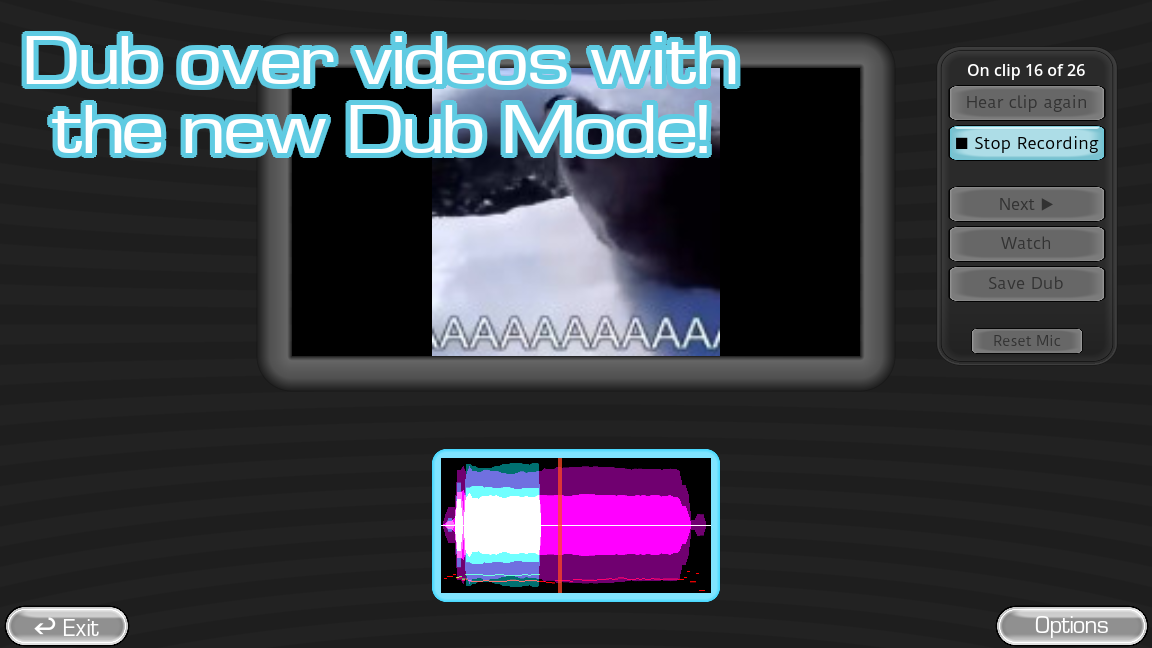
The Customize screen is where the client prints its own version number — the official screenshot below shows that marker from the 0.5.0 era, and the same spot tells you what you are on today. The video is a run recorded after 0.5.3 shipped.
Game screenshots on this page come from YeahMaybe's official itch.io listing for The Choicer Voicer. All game art belongs to YeahMaybe.
Choicer Voicer Latest Version FAQ
Related Choicer Voicer pages
Install the update on a new machine, check platform availability, or go deeper on the modes the 0.5.x releases keep changing.
Update from the official page only
Version 0.5.3 comes from YeahMaybe’s itch.io listing and your own library — nowhere else. Confirm the recommended files, then read the install guide if you are setting up a new machine.